EN


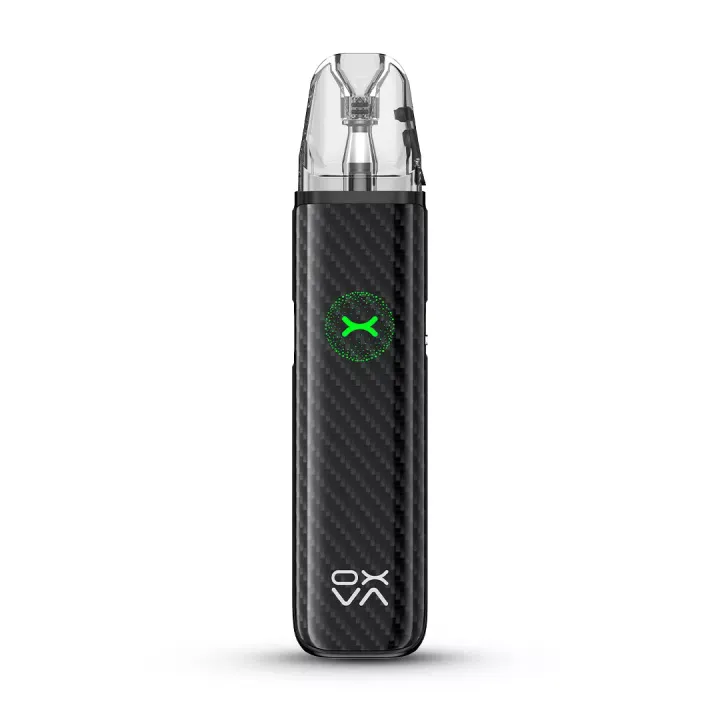
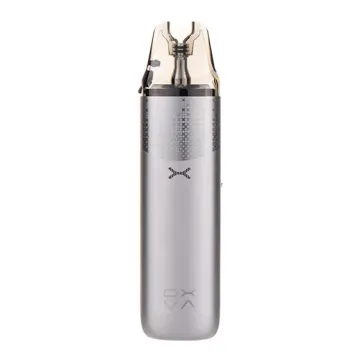
OXVA Xlim Go 2 Pod Kit 1500 mAh
€9.90+€0.50 backPrice incl. VAT
Draw and vape: the Oxva Xlim Go 2 does without a display and buttons and regulates the power up to 30 W by itself. With a 1500 mAh battery, airflow slider and Xlim pod compatibility it is an uncomplicated way into pod vaping.
In stock – 2 available
- Invite friends5% of their purchases – across 3 levels
- Free shippingon orders from €59–69
Details
| Brand | OXVA |
|---|---|
| Battery | 1500 mAh |
Goes well with
Product description
Oxva Xlim Go 2 – Xlim flavour without a display or buttons
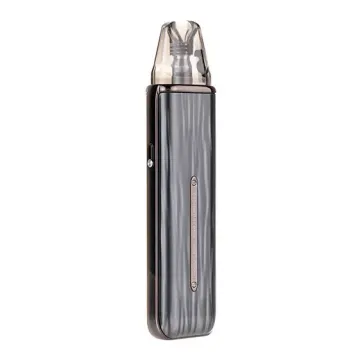
The Oxva Xlim Go 2 is the simplest device in the Xlim family: no display, no wattage levels, no button – you insert the pod and draw. Even so, it has a 1500 mAh battery inside, more than the Xlim Pro 2.
At a glance
- Battery
- 1500 mAh, built in
- Power
- up to 30 W, automatic adjustment
- Activation
- draw-activated, no button
- Indicator
- LED light, no display
- Pods
- Xlim Top Fill V3, V2 and EZ (0.4 / 0.6 / 0.8 / 1.2 Ω)
- Pod capacity
- 2 ml, top fill
- Airflow
- side slider
- Charging
- USB-C, 5 V / 2 A
- Colours
- 9 versions
Who is the Oxva Xlim Go 2 made for?
Many pod systems offer more settings than you will ever need in everyday life. Instead of menus and plus-minus buttons there is just a pod, a mouthpiece and a small airflow control.
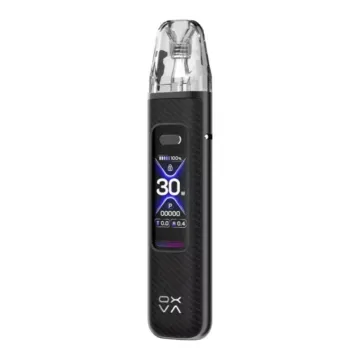
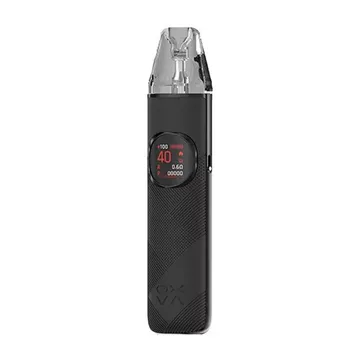
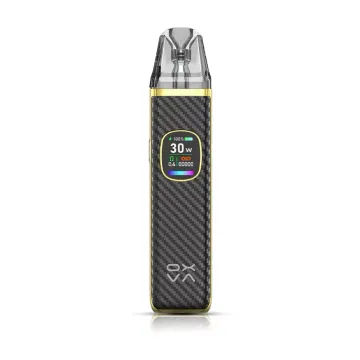
That makes the Go 2 a good choice if you are just starting out, are an adult smoker looking for an alternative to cigarettes or want an uncomplicated second device for on the go. The draw is designed for MTL by default, i.e. the classic mouth draw. The PCTG and aluminium alloy housing is light and comes in nine colours, from Black Carbon to Pink Ripple.
How the Xlim Go 2 vapes: draw activation and smart wattage
As soon as you draw on the mouthpiece, the device fires – there is no fire button. You do not have to set the power either: smart wattage detection reads the resistance of the inserted pod and automatically chooses a suitable wattage, up to 30 W.
You set the draw resistance with the airflow slider on the side. Closed, it gives a tight, cigarette-like draw that suits nic salt liquids well. More open, it gets airier and moves towards RDL. With a 0.8 or 1.2 Ω pod you stay in the classic MTL range; with 0.6 Ω the vapour gets a little denser and warmer. So you can change the character without ever opening a menu.
Battery, LED indicator and charging
The built-in 1500 mAh battery gets you comfortably through the day with normal use. Instead of a screen, a three-colour LED indicator – Oxva calls it Starrylight – shows the approximate charge level. So you can see at a glance when it is time to recharge.
Charging is via USB-C at up to 2 A; a charging cable is included. Before first use, charge the battery fully once. After that, topping up in between is enough, for example at your desk or in the car. How long one charge lasts depends mainly on the pod's resistance: with 1.2 Ω you get further than with 0.6 Ω.
Xlim Go 2 pods: which cartridges fit?
A big advantage of the Go 2: it uses the proven Xlim pods. Compatible are the Xlim Top Fill V3 cartridges, the older V2 pods and the EZ pods in the 0.4 to 1.2 Ω range; the device's resistance range is 0.3–3.0 Ω. The pod holds 2 ml and is filled conveniently from the top.
We stock replacements as Xlim Go 2 pods in a pack of three with 0.6, 0.8 or 1.2 Ω. To start with we recommend 0.8 Ω – almost any nic salt liquid tastes well rounded with it. A pod usually lasts one to two weeks; if the flavour fades or it tastes burnt, simply swap it. If you later switch to an Xlim with a display, you can keep using your pods.
Xlim Go 2 vs Xlim Pro 2: what is the difference?
Technically both devices share the pod platform, but in how they are operated they are opposites. The Oxva Xlim Pro 2 has a display, a fire button and wattage levels from 5 to 30 W that you choose yourself. The Go 2 does without all that, but offers a 1500 instead of 1300 mAh battery.
- Go 2: for anyone who just wants to draw and has no appetite for settings.
- Pro 2 / Pro 3: for anyone who wants to set power and activation precisely.
You will find an overview of the whole range with the Pro 3, Go 2, NeXLIM 2 and SlimStick in our OXVA Xlim review 2026.
Guide: filling and starting the Xlim Go 2
Operation is quickly explained – these steps replace the quick guide in the box:
- Fully charge the battery via USB-C.
- Open the silicone plug on top of the pod, fill with liquid and close it again.
- Insert the pod and leave it for 5–10 minutes so the coil soaks up fully.
- Set the airflow slider to tight, draw – done.
50/50 liquids are suitable, especially nic salt at 10 or 20 mg. Liquids with a very high VG share are too thick for the small coil. A tip: refill before the pod is completely empty, then the coil stays moist and lasts longer.
Frequently asked questions
Does the Oxva Xlim Go 2 have a button?
No. The Xlim Go 2 is activated only by drawing and has neither a fire button nor a display.
Can I set the watts on the Xlim Go 2?
No, the power is adjusted automatically to the inserted pod, up to a maximum of 30 W. You control the draw with the airflow slider.
Which pods fit the Xlim Go 2?
The Xlim Top Fill V3 cartridges and Oxva's V2 and EZ pods in 0.4, 0.6, 0.8 and 1.2 Ω.
What is the difference between the Xlim Go 2 and Xlim Pro 2?
The Go 2 has no display and no button, but a 1500 instead of 1300 mAh battery. The Pro 2 offers a display, a fire button and adjustable 5–30 W.
How long does the Xlim Go 2 battery last?
With 1500 mAh, usually a whole day with normal use. The LED indicator shows you when to recharge.
Is the Xlim Go 2 suitable for beginners?
Yes, it is one of the simplest pod systems: fill the pod, wait briefly and draw. There is nothing you can set wrongly.
Which liquid should I use?
Ideally 50/50 liquids, for example nic salt liquids with 10 or 20 mg. Very VG-heavy liquids can clog the small coil.
🚚 Fast, discreet shipping · free from €59–69